A send-a-link inspection gets you photos from whoever is with the machine. A guided-camera inspection gets you something stronger: photos taken through a live camera in the page itself, with evidence of where and how each one was captured. When the valuation is going into a credit file, this is the version to send.
What makes it different
- The camera runs in the page. There’s no picking from the photo gallery — the shot is taken live, at the machine, through the link you sent.
- Location is attached at the shutter. The camera won’t fire until the phone shares its position, so every photo carries the spot it was taken.
- The seconds before each tap are kept. Along with the photo, the page records the brief run-up of frames before the shutter — and an automated check confirms the scene behaves like a real, three-dimensional machine rather than a photo of a photo or a screen.
Step 1 — Create the link
From your dashboard, click Open guided inspections. Add an optional reference — a deal number or “Volvo at the Reading depot” — and click create. Copy the link with one tap.
Step 2 — Send it
Text, WhatsApp or email it to the borrower, dealer or colleague who’s with the machine. They don’t need an account or an app — the link opens in their phone’s browser.
Step 3 — They photograph the machine, guided
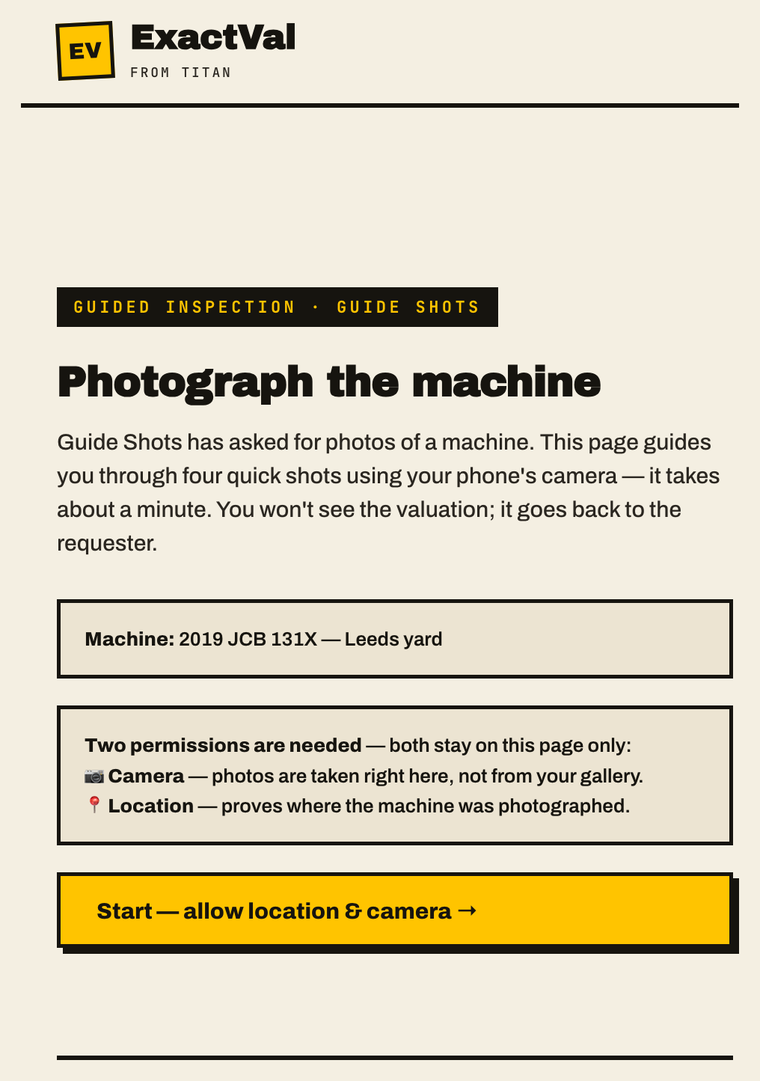
The page opens as above and asks for camera and location access, then walks them through a shot checklist — serial plate, hour meter, the corners, anything damaged. Each item ticks off as they go, so nothing gets missed. When the checklist is done they tap send; they never see the figures.
Step 4 — The valuation arrives, with evidence
The valuation lands in your dashboard like any other, marked GUIDED. Click the badge to open the capture evidence view: where the photos were taken, the pre-shutter frames for each shot, and the capture check’s verdict. That whole bundle sits behind the number in the credit file.
An emailed photo proves someone has a picture of a machine. A guided capture proves someone stood in front of one.
Good to know
- One credit per completed valuation, charged to you — never the person photographing. No valuation, no charge.
- Links are single-use and expire after 7 days.
- The phone needs camera and location turned on. If either is declined, the page explains what to enable — nothing is captured silently.
- Beta: the simple send-a-link flow is still there if you just need photos fast.
If something goes wrong
- “Camera or location blocked” — the inspector should allow both in the browser prompt, or in the phone’s settings for their browser, then reload the link.
- “This link has expired” — older than 7 days or mistyped; create a fresh one.
- “Already submitted” — photos were already sent on this link. Check your dashboard; send a new link for another go.
Questions? hello@exactval.com.